Indexer
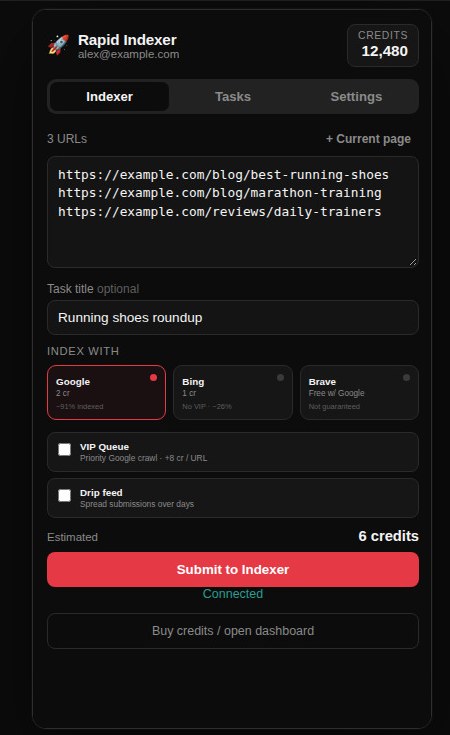
Paste a list. Submit it.
Add the page you are on, or paste a batch, one URL per line. The credit cost updates before you send anything.
Engines
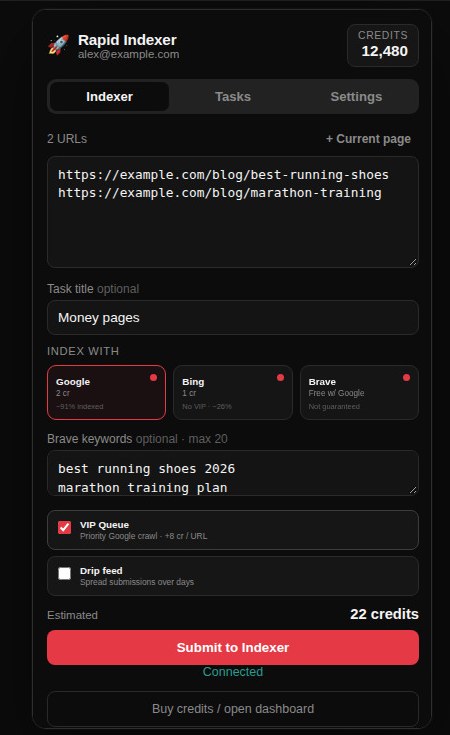
Google, Bing, and Brave.
Google is 2 credits per URL. Bing is 1, and it does not use the VIP queue. Brave Search Boost is free when it rides along with Google. VIP is a priority Google crawl at +8 credits per URL.
Tasks
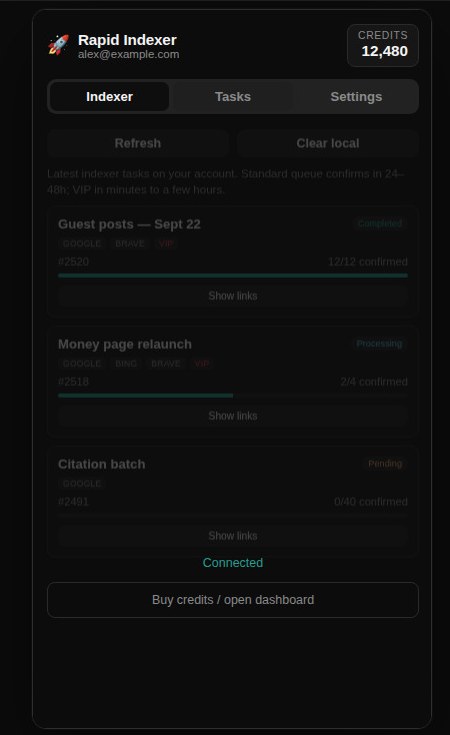
Watch every URL land.
Recent indexer tasks, crawl progress, and per-link status from your account. Standard queue confirms in 24–48 hours. VIP confirms in minutes to a few hours.
Right-click
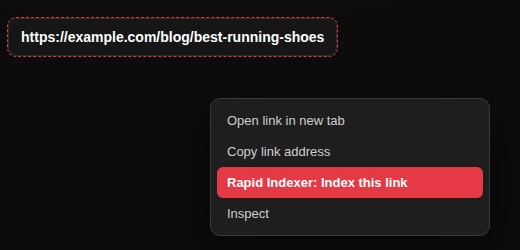
Index any link on the page.
Right-click a link and choose “Rapid Indexer: Index this link”. That URL goes straight to the Google queue. Bing, Brave, and VIP stay off, so it costs 2 credits.
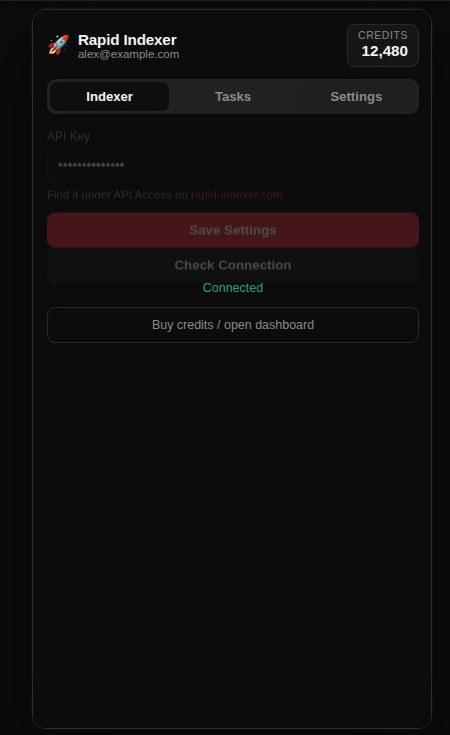
Settings
Connect once with your API key.
Paste the key from API Access, then Save Settings. The header shows the account email and credit balance, and the balance refreshes after every submit.